Turn on the MCP server
Open Settings → MCP and enable the local MCP server. It listens only on http://127.0.0.1:<port>/mcp.
One click installs the Claude Code plugin and MCP tools. In the Claude desktop app, the live phone screen opens in the Browser pane beside the conversation, the way the Codex panel sits in the chat. StupidMirror embeds no model and needs no model API key.
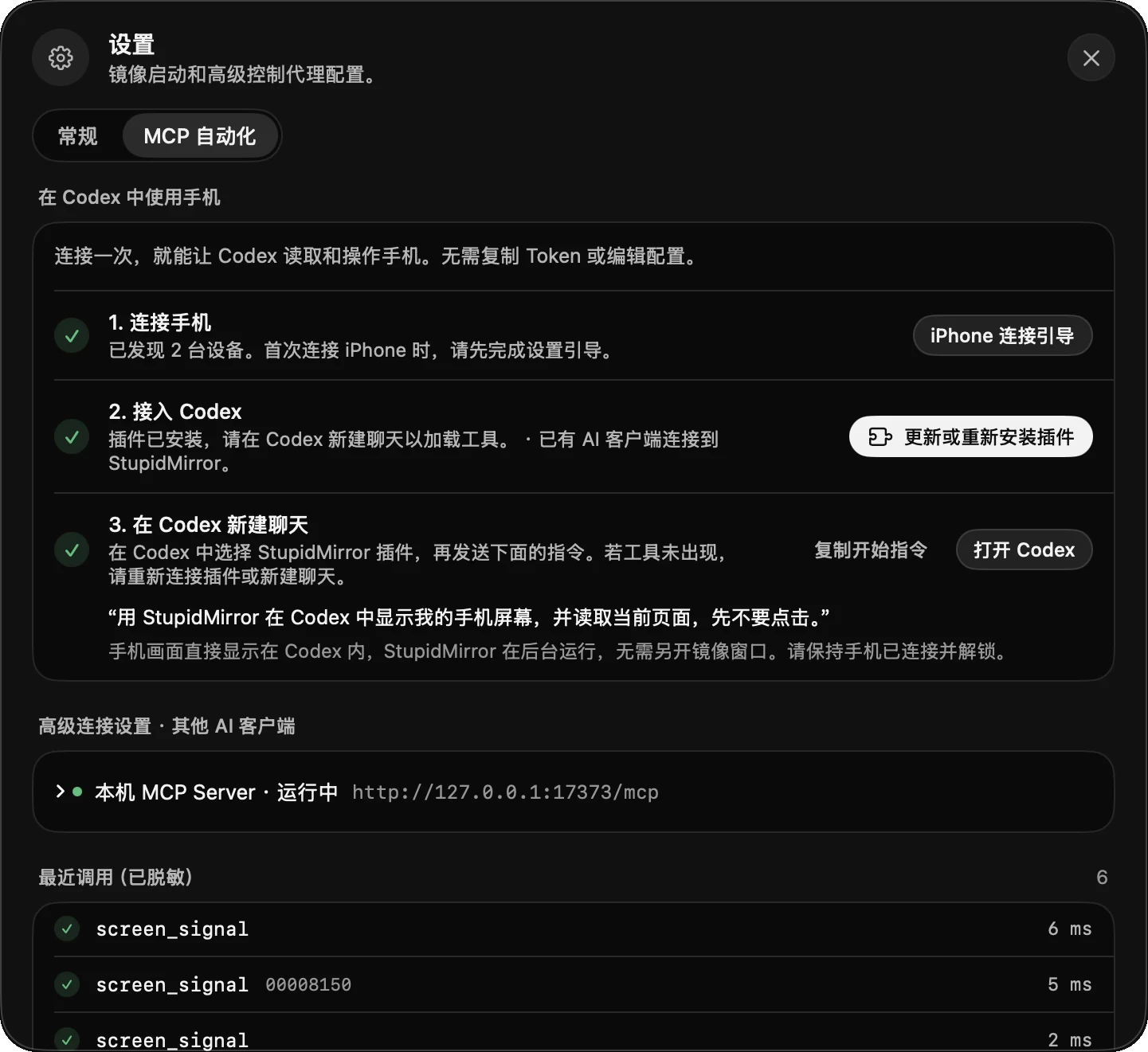
In Settings → MCP Automation, Connect Claude Code installs the plugin and MCP tools in one click, and Connect Codex does the same for Codex; parts already in place are skipped. Other MCP clients use the generated configuration.
Open Settings → MCP and enable the local MCP server. It listens only on http://127.0.0.1:<port>/mcp.
Click Connect Claude Code (or Connect Codex) for one-click setup. For another MCP client, open Advanced connection settings · Other AI clients.
Open a new local session in the Claude desktop app's Code tab. The first time Claude works with a device, it opens the live viewer in the Browser pane by itself, with the same video, device picker and manual control as the Codex panel; this also works when the app is routed through a gateway. In the terminal, ask Claude for the viewer link. Manual clients instead copy the generated configuration, which includes the endpoint, bearer authentication and a 240-second tool timeout.
Keep StupidMirror open and try: “List my connected devices, start mirroring my iPhone, and highlight the visible clickable elements without tapping them.”
list_devices, show_screen and connect_control discover the target and prepare the sessions it needs.
observe_screen and find_any_element read a live frame with local OCR, and request accessibility only when needed.
tap_text, tap_element, replace_text and swipe target observed content or an explicit gesture.
wait_for, assert_screen and observe_screen check the resulting state on the device.
highlight_clickable_elements and highlight_elements draw targets on the Mac mirror without sending input.
install_app installs an .app, .ipa or .apk build; open_url opens deep links; start_recording saves the mirror as an .mp4 of up to 10 minutes.
Capture, playback and OCR run on this Mac, and StupidMirror does not upload mirrored content to a model provider on its own. An AI client connected over MCP receives the screenshots and tool results it asks for, and its own data settings apply. Rotating the bearer token invalidates the previous credential.
No. It embeds no model. Your MCP client brings the model; StupidMirror provides the device tools.
Claude Code and Codex through one-click setup that installs their plugin and MCP tools, and other MCP clients through the generated configuration with bearer authentication.
In the Claude desktop app, in the Code tab's Browser pane, as a page served from this Mac. Claude adds a stupidmirror-viewer entry to the project's .claude/launch.json to open it. Annotations are a Codex feature; in Claude, select an element in the Browser pane or attach a screenshot.
First-time control setup can take a while, so the generated configuration sets a 240-second tool timeout.
Pass device_id. Call list_devices first to see the identifiers.
After focusing a field, use replace_text or clear_text directly, and type_text to append. Accessibility snapshots can disturb a focused field, and replacement verifies the resulting value.
Apple Vision OCR defaults to Chinese and English, offers fast and accurate modes, and runs on demand outside the capture path.