Quick start
Turn a browser into a Mac display
Select a screen, window, or dedicated virtual display on your Mac. BrowserDisplay streams it over WebRTC to a browser on the same local network.
- Receiver
- Browser
- Transport
- WebRTC
- Source
- Screen / Window / Virtual
Download
Get the latest macOS release
Download the signed and notarized DMG from GitHub Releases, then drag BrowserDisplay to Applications.
Latest release
BrowserDisplay for macOS
Requires macOS 14 or later. WebViewer runs in a browser on the same local network.
Open GitHub Release-
01
Choose a source
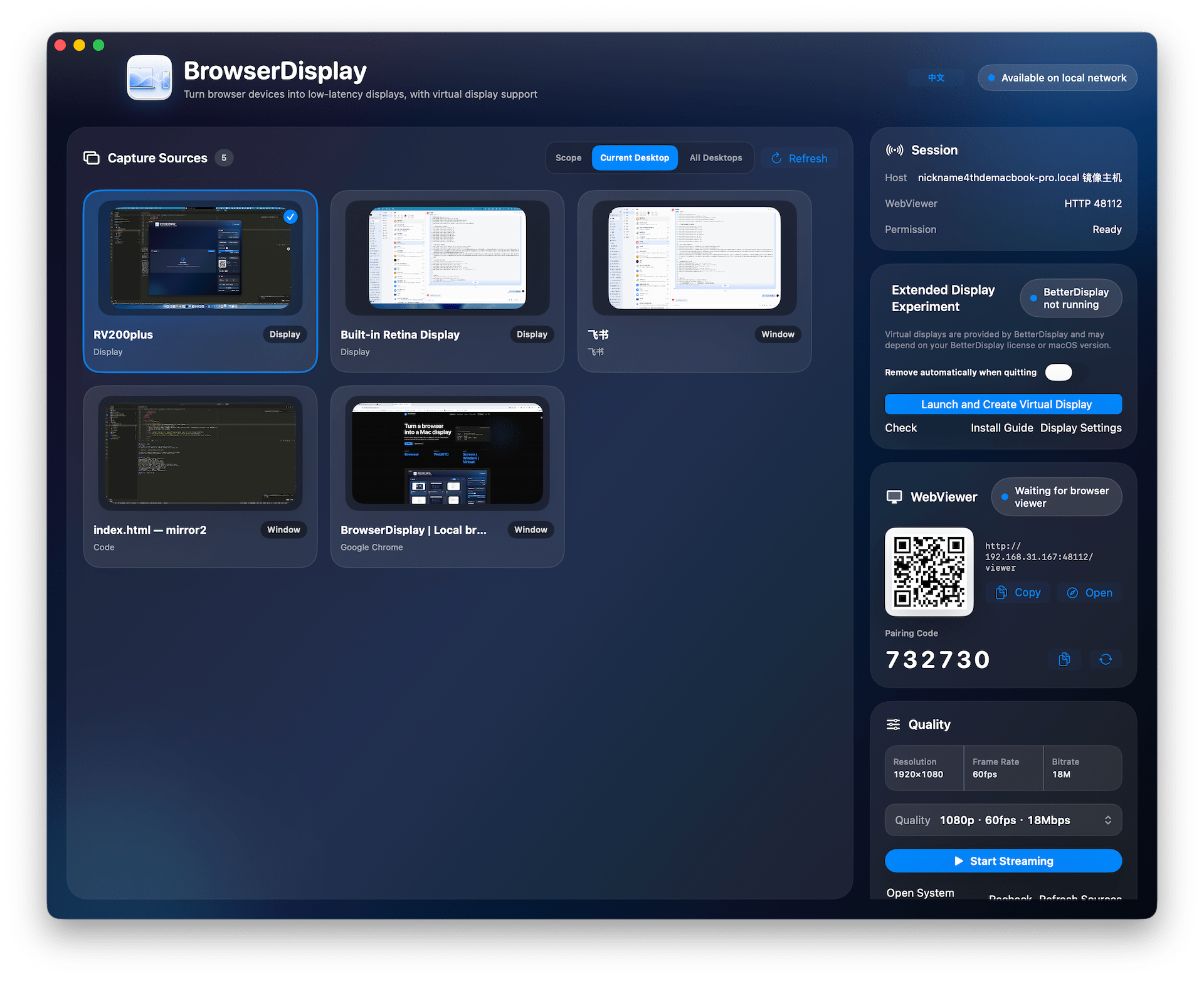
Select a screen, window, or create a BrowserDisplay virtual display.
-
02
Open a browser
Scan the QR code or enter the WebViewer URL, then pair on the receiver.
-
03
Start streaming
Pick a quality preset for the network and start the stream.
Why BrowserDisplay
Built for temporary side displays and clean demos
No receiver app
A phone, tablet, or another computer can receive the stream as long as its browser supports WebRTC.
Show only what matters
Virtual display mode isolates the demo surface while your main screen stays private.
One control surface
Sources, ports, QR code, viewer count, pairing code, and quality presets are managed in one place.
Architecture
A local display link
BrowserDisplay does not require a native receiver app. The Mac handles capture, encoding, and signaling; the browser receives and renders.
Capture
ScreenCaptureKit captures screens or windows; BetterDisplay provides the optional virtual display.
Signal
WebViewer opens from a local HTTP page and uses a pairing code to establish the session.
Stream
Video streams to the browser over WebRTC, with quality controlled by presets.
Usage
Run and grant permission
Run locally
Build and launch
./tools/run-browserdisplay.commandPermission
Reset Screen Recording permission
./tools/reset-screen-recording.command
720p30
1080p60
1440p60
2160p30
Virtual display
Put demo content on its own display
With BetterDisplay installed, BrowserDisplay can create a dedicated virtual display. Move windows onto it, then stream that display to the browser.